The No Bullsh*t Guide to Knowledge Bases: Part 2
You don't need more documentation. You need to delete half of what you've got. A guide to clearing out the graveyard.

Your knowledge base is probably full of crap
Here's the thing nobody talks about: the problem with most knowledge bases isn't that they're empty. It's that they're full.
Full of absolute garbage 🥲
Articles from 2019 referencing features you killed two years ago. Process docs for tools you don't use anymore.
"Your knowledge base isn't a resource. It's a graveyard of good intentions."
Seventeen versions of the same thing with titles like "Getting Started," "Getting Started (NEW)," and "Getting Started - USE THIS ONE." A draft someone started eight months ago that's just a title and the word "Overview."
Your knowledge base isn't a resource. It's a graveyard of good intentions. Every article in there represents a moment when someone thought "we should really document this," made a heroic start, and then... life happened. Tickets came in. Priorities shifted.
And now you've got this haunted house of half-finished content that's technically not empty (so you can't say you don't have documentation) but is functionally useless to anyone who actually tries to use it.

Congratulations. You've built a monument to organizational procrastination.
The archaeology of bad documentation
Let's take a tour of what's actually in there. Be honest with yourself.
- The Fossil. Written by someone who left the company in 2021. References a UI that no longer exists. Includes screenshots of buttons that have been renamed, moved, or deleted entirely. Still gets traffic because it ranks on Google, which means customers are reading instructions for a product that doesn't exist anymore. Fun.
- The Optimistic Draft. Title: "Complete Guide to [Important Feature]" Content: "This article will cover..." Last edited: 14 months ago
This was going to be the definitive resource. Someone blocked out an afternoon to write it properly. That afternoon never came. Now it sits there, a permanent reminder of ambition meeting reality. - The Duplicate Triplets. Three articles that cover the same topic, written by different people who didn't check if it already existed. They all say slightly different things. One is correct. One is outdated. One was never accurate in the first place. Good luck figuring out which is which.
- The Frankenstein. Started as a simple how-to. Got added to over the years by different people with different writing styles. Now it's 3,000 words long, contradicts itself twice, has formatting from at least four different eras of your brand guidelines, and includes a section that just says "TODO: update this part."
- The Ghost. An article that exists, technically, but isn't linked from anywhere. Doesn't show up in search. Has been viewed twice in the last year, both times by the person who wrote it, checking if anyone had viewed it. They hadn't.
- The Lie. Confidently explains something that isn't true. Maybe it was true once. Maybe it was never true and someone just got it wrong. Either way, it's out there, being wrong at scale, and you're going to find out when a customer quotes it back to you in a support ticket.
Sound familiar? Don't worry. This is everyone. Every single knowledge base, left unattended for more than six months, turns into this. It's not a character flaw. It's entropy.
Why "just add more content" makes it worse
The instinct when your knowledge base isn't working is to write more. Fill the gaps. Cover more topics. Create that comprehensive resource you've always imagined.
This is exactly wrong.
If your house is full of clutter, buying more storage containers doesn't fix the problem. You've just got organised clutter. The issue isn't that you need more space. It's that you're keeping things you should have thrown away years ago.
Same with documentation.
If you've got 200 articles and half of them are outdated, adding 50 more doesn't help. You've just got 250 articles that are 40% outdated. You've diluted the problem, not solved it.
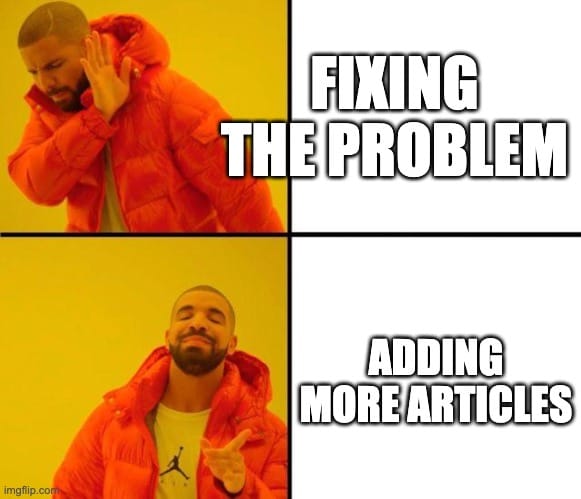
Every bad article makes the good ones harder to find. Every outdated doc that shows up in search results erodes trust. Every time a customer finds the wrong answer, they learn that your knowledge base isn't reliable. And once they've learned that, they stop checking. They email you instead.
More content isn't the answer. Better content is. Which means (and I'm sorry about this) you need to delete things.
The content audit you've been avoiding
Nobody wants to do a content audit. It's about as fun as cleaning out the garage.
You know it needs doing, you know you'll feel better afterwards, and you're still going to put it off until something forces your hand.
So here's the forcing hand: your knowledge base is actively making things worse. Every day you don't fix it, someone's reading outdated information and losing trust in your docs.
The audit isn't complicated. It's just tedious. Here's how it's supposed to work:
Step 1: The Brutal Sort
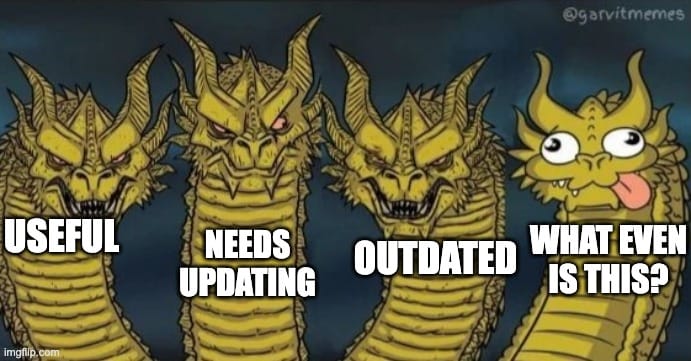
Going through every article and putting them in one of four buckets:
🟢 Accurate and useful. Leave it alone. Maybe give it a pat on the head.
🟡 Useful but needs updating. The bones are good but the details are wrong. Flag it for a refresh.
🔴 Outdated or wrong. It's not helping anyone. Delete it or archive it. Today.
⚫ Who even knows. You don't understand what it's for or whether it's accurate. Ask whoever wrote it. If they're gone and nobody knows, that's a red flag.
Be ruthless. If you're not sure whether something is useful, look at the data. No views in six months? Probably not essential. Getting traffic but generating confused support tickets? Actively harmful.
Step 2: Kill Your Darlings
Here's the hard part: you have to actually delete things.
Not "archive for later." Not "move to a holding folder in case we need it." Delete. Gone. Removed from existence.
This feels wrong. What if we need it? What if someone asks about that thing?
Listen: if someone asks about it, you'll write a new, correct article. That's fine. What's not fine is leaving wrong information out there because you're emotionally attached to the work that went into it.
Sunk cost fallacy is real. That article took three hours to write. Deleting it feels like throwing away those three hours. But those hours are already gone. They're not coming back whether you keep the article or not. The only question is: is this article helping anyone right now?
If the answer's no, it's just taking up space and making your good content harder to find. Bin it.
Step 3: Fix What's Worth Fixing
Now you've got a pile of articles that are worth keeping but need updating. Don't try to do them all at once. That way lies madness and more abandoned drafts.
Pick five. The five with the most traffic, or the five that cause the most confused support tickets, or just the five that annoy you most. Fix those. Then pick five more.
Fifteen minutes per article, maximum. You're not rewriting. You're updating. New screenshots. Corrected steps. Removed references to features that don't exist. This isn't a creative writing exercise. It's maintenance.
Step 4: Deal With Your Drafts
Open your drafts folder. Look at everything in there. Be honest: are you ever going to finish any of these?
If it's been sitting there for more than three months, the answer is almost certainly no. The moment has passed. The motivation has left. Either finish it today (right now, in the next fifteen minutes) or delete it.
Drafts don't age like wine. They age like milk. The longer they sit there, the more outdated they get, and the more that little unfinished count haunts you. Clear them out. Start fresh.
But you're not going to do any of that
Let's be real. You just read that whole audit process, nodded along, maybe even felt a little motivated, and you're not going to do it.
You're not going to block out a day to go through every article. You're not going to schedule "documentation audit time" in your calendar. You have tickets to answer. You have meetings. You have that other project you're already behind on. The audit sounds great in theory, and in practice it's going to sit on your to-do list until it quietly slides off the bottom.
That's fine. That's normal. That's everyone.
So here's what you do instead: flag things as you find them.
You're going to encounter your own documentation anyway. Customer asks a question, you go to link them the article, you notice the screenshots are from 2019.
That's the moment. Don't fix it right then (you've got a ticket to answer). Just mark it somehow. A tag, a note, a spreadsheet, a Slack message to yourself, whatever system you'll actually use.
Then, when you do have fifteen minutes (and you will, eventually, probably when you're procrastinating on something else), you've got a list of things that actually need attention. Not a theoretical audit of 200 articles. A real list of the specific articles you've personally witnessed being wrong.
This is slower than a proper audit. It's also infinitely more likely to happen. And a slow fix that actually happens beats a comprehensive plan that doesn't.
The goal isn't a perfect knowledge base by Friday. The goal is a slightly less terrible knowledge base than you had last month. Keep doing that and eventually you'll get somewhere.
The "minimum viable knowledge base"
Here's a radical thought: you don't need a comprehensive knowledge base.
You need a knowledge base that answers the questions people actually ask. That's it. That's the whole requirement.
Not every feature needs documentation. Not every edge case needs an article. Not every "what if" scenario needs to be covered. You need to document the stuff that comes up, and you need that documentation to be accurate.
Ten perfect articles beat a hundred mediocre ones. A small, correct knowledge base that people trust is infinitely more valuable than a sprawling mess that might be right or might not.
So stop trying to document everything. Document the things that matter. Keep those things updated. Delete everything else.
Make the process stupidly easy or it won't happen
Here's the truth about documentation maintenance: if it's a pain in the arse, you won't do it. Nobody will. You can have all the good intentions in the world, but if updating an article means manually re-screenshotting 15 steps because a button moved slightly to the left, it's not getting done.
So stop making it hard for yourself.
The biggest maintenance headache is screenshots. UI changes constantly. Buttons get renamed. Menus get reorganised. And suddenly half your articles have pictures of a product that doesn't look like that anymore. Manually redoing all of those? That's a full day of clicking, cropping, and questioning your life choices.
Use tools that do the boring bit for you. Something like Tango, Scribe, Glitter.ai, or Arcade lets you just click through the process and automatically generates the screenshots and steps. UI changed? Click through it again. Five minutes instead of an hour.
This isn't laziness. It's sustainability. A process you'll actually follow beats a "proper" process that gets ignored. If the choice is between perfect manual screenshots updated never, or auto-generated ones updated regularly, the second option wins every time.
Same goes for everything else. Templates for common article types. A checklist for what needs updating when features launch. Whatever removes friction between "I should update this" and actually doing it.
The best documentation process is the one that's so easy you run out of excuses not to follow it.
Maintenance isn't optional
Here's what nobody tells you when you set up a knowledge base: it's not a project. It's a commitment.
Documentation isn't something you do once and forget about. It's something you maintain, forever, or it rots. Products change. Features get updated. Processes evolve. If your docs don't evolve with them, they become worse than useless. They become actively misleading.
This means someone has to own it. Not "everyone should contribute," which means no one does. An actual human being who's responsible for making sure things stay accurate. Maybe that's you. Maybe it's someone else. But it has to be someone, or you'll be back in the graveyard within six months.
But here's the thing: don't be that person.
You know the one. They appoint themselves Guardian of the Knowledge Base.
They have opinions about formatting. They "just quickly rewrite" everyone else's contributions until people stop bothering. They create a 47-step style guide nobody asked for. They treat the docs like their personal kingdom and everyone else like peasants who can't be trusted with a keyboard.
And then they leave.

New job, promotion, sabbatical, whatever. They're gone. And suddenly you're left with a knowledge base that only one person understood, built on a system only they knew how to use, with a structure that made sense only inside their head.
This happens constantly. The person who cares most becomes the bottleneck, then becomes a single point of failure, then becomes an ex-employee. And everyone left behind is standing in the rubble going "so... does anyone know why this article is in this folder?"
Ownership doesn't mean gatekeeping. It means making sure the thing works, that other people can contribute without getting their hands slapped, and that the whole thing doesn't collapse if you get hit by a bus or just find a job that pays better.
Document your documentation. Make the system obvious. Let other people in. Your knowledge base shouldn't be a reflection of your personal standards. It should be something that survives you.
And while we're at it, watch out for the other one: the "design" or "product" person who suddenly takes an interest.
They don't want to write anything. God, no. They want to revamp.
They've got ideas. They've seen how Linear does it. They want to "rethink the information architecture" and "improve the user journey." They'll spend three months picking fonts, customising the theme, reorganising the navigation into something that makes sense only on a whiteboard, and debating whether articles should have cover images.
Meanwhile, the actual content sits there rotting, because everyone's been told to hold off on updates until the Big Revamp is done.
Then they leave too.
And six months later, someone new arrives, looks at the knowledge base, and says "I think we should move to a different platform." Or worse: "I think we should build our own."
And the whole thing starts again.
Another six months of planning and migrating and "rethinking" while the articles stay broken and customers keep emailing you the same questions.
You want to scratch your eyes out. You've been here before. You'll be here again.
The knowledge base doesn't need a revamp. It needs someone to fix the article that's been wrong since March. It needs the screenshots updated. It needs the draft from eight months ago either finished or deleted. It needs boring, unglamorous maintenance work that nobody wants to put on their CV.
Pretty navigation means nothing if the content is garbage. A custom-built solution means nothing if nobody's writing anything. The best knowledge base platform is the one you already have, with articles that are actually correct.
Stop waiting for the perfect system. Fix the thing in front of you.
Build it into the process:
- Feature change? Update the docs as part of the launch.
- Customer confused by an article? Fix it that day, not "later."
- Regular audits? Quarterly, at minimum. Monthly if you can stand it.
This sounds like a lot of work. It is. But it's less work than constantly answering questions your documentation should be handling, and way less work than rebuilding trust after customers have learned your docs can't be relied on.
The uncomfortable truth, part two
Your knowledge base probably isn't helping as much as you think it is. If you've been ignoring it, adding to it without maintaining it, or treating it as a dumping ground for everything anyone ever thought should be documented, it's probably doing more harm than good.
That's okay. Most people are in the same boat. The difference is whether you do something about it.
You know what needs to happen. Clear out the rubbish. Update the stuff worth keeping. Delete the rest. Stop pretending that more content is the answer when the content you've got isn't working.
It's going to take a few hours. Maybe a few days, spread out over a couple of weeks. It's going to be boring. You're going to wonder why you're spending time on this when there are tickets to answer.
And then it's going to be done. And your knowledge base is going to be something you can actually point people to without silently hoping they don't find the wrong article.
That's worth a few hours.